IMAGE→VIDEOCreate video

Your photo, in motion

Animate Photos with AI — Free, No Login

Make a picture move with AI: upload your photo, describe one movement, and generate a short video. Try it free without login, or start with an example below.

3 free requests per IP per UTC day. Shared networks share the allowance. Failed requests may count. No account or payment details needed.

AI VIDEO STUDIO
JPG, PNG, WebP · 10 MB

Or load an example photo + prompt

Loads locally. Uses an attempt only when you generate.

Length
Quality

Generation usually takes a few minutes. Keep this tab open while we work.

Up to 3 requests per IP per UTC day. Shared networks share the limit; failed requests may count.

Your photo, in motion · Real generation examples

Real photo animations. Exact inputs to try.

Compare each source image with a video we generated using Runway through KIE, the model used by this editor. These are AI interpretations, not original recordings or restorations. Each example includes the actual motion prompt and notes on the result.

Use the matching Try button in the editor to load the original photo, exact prompt and 5-second 720p settings. Generate only when you are ready. Results vary between runs; the notes below show what worked and what changed unexpectedly.

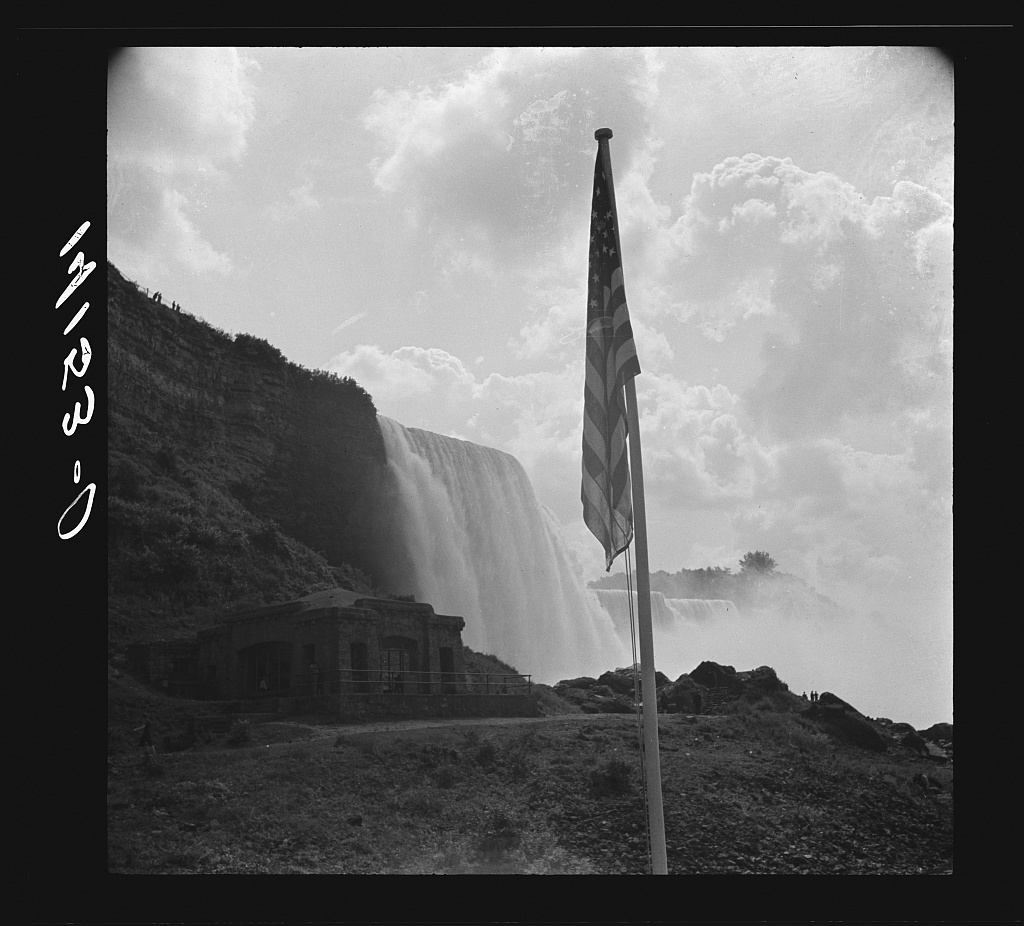
01Niagara Falls — a scene-drift failure

Runway via KIE · 5s · 720p
Before · original image
Original source for Niagara Falls — a scene-drift failure
After · AI-generated interpretation

Failure case: the model replaces the original distant view and flagpole with a close waterfall scene. It does not follow the locked-camera instruction. Use this comparison to recognize scene drift; this output is unsuitable when source fidelity matters.

View the exact motion prompt
The waterfall flows steadily downward and fine mist rises from its base. The surrounding shore and structures stay completely fixed. Preserve the monochrome photographic texture. Locked camera, no zoom, no new people or objects.

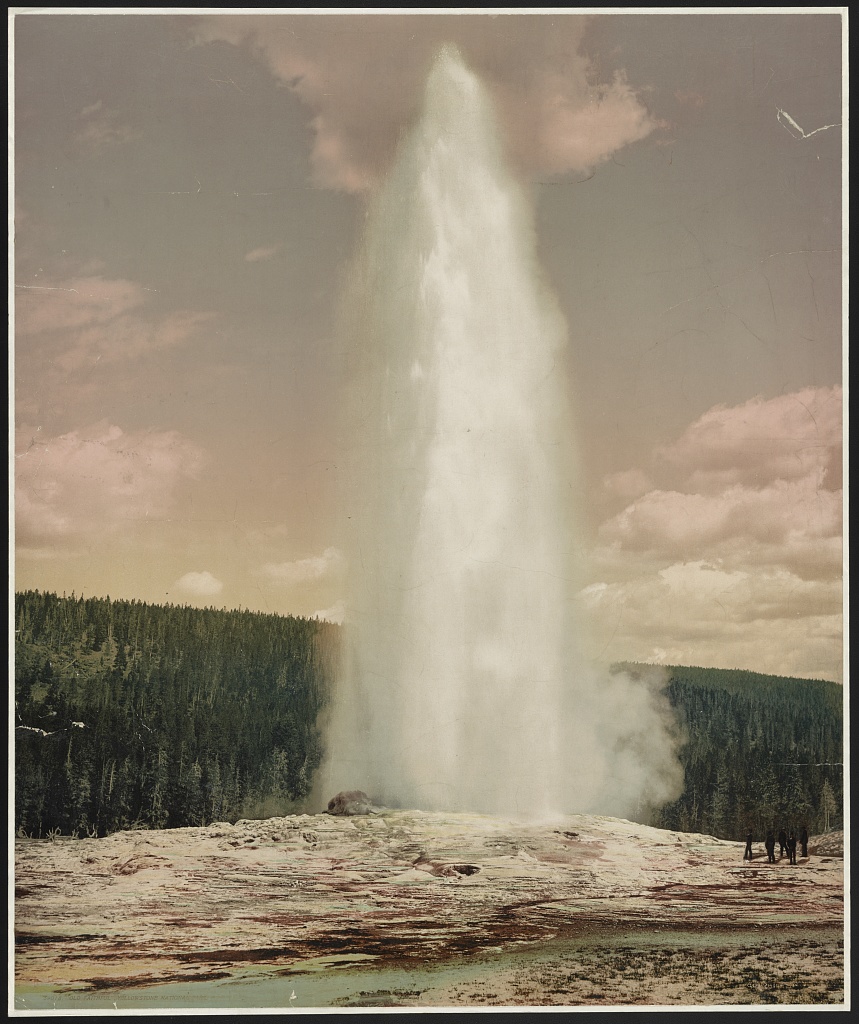
02Old Faithful — steam rises and disperses

Runway via KIE · 5s · 720p
Before · original image
Original source for Old Faithful — steam rises and disperses
After · AI-generated interpretation

The plume rises and changes shape, but the model also enlarges it and shifts the framing. The motion is stronger than the requested gentle drift. The source colors remain recognizable.

View the exact motion prompt
The geyser water rises vertically and the steam drifts gently to one side before dissipating. The ground, trees and horizon remain perfectly still. Preserve the original photographic colors and framing. Fixed camera, no additional eruption or dramatic camera effect.

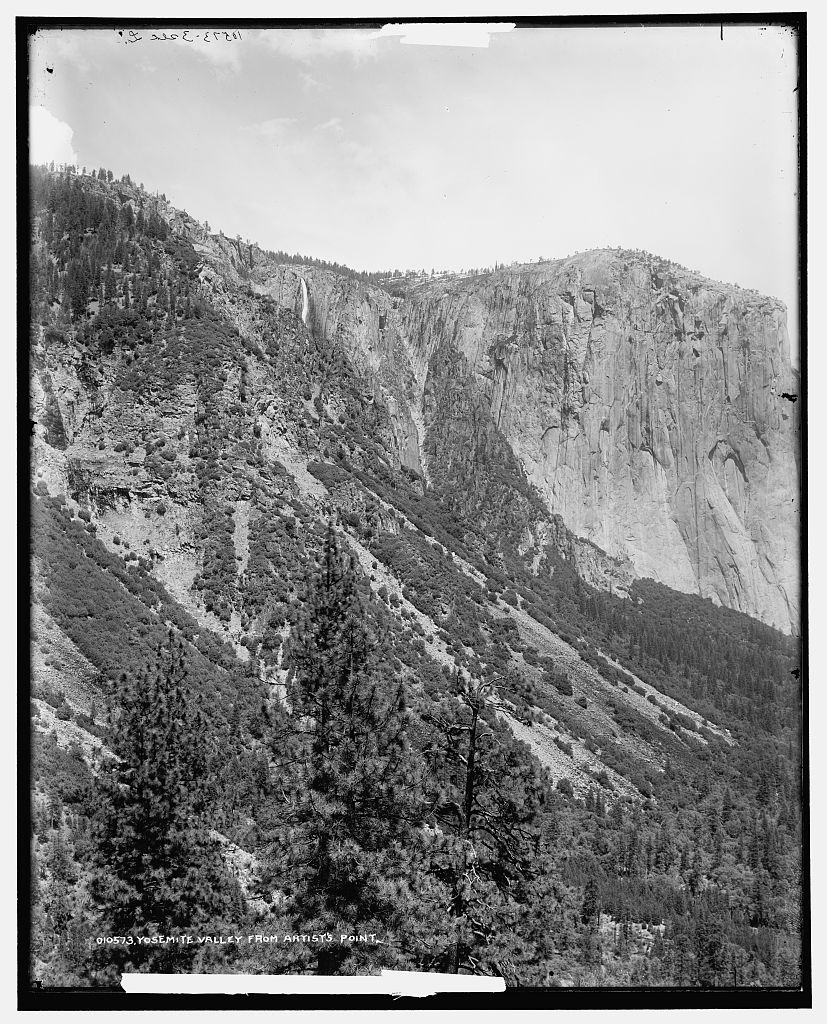
03Yosemite — a quiet camera move

Runway via KIE · 5s · 720p
Before · original image
Original source for Yosemite — a quiet camera move
After · AI-generated interpretation

The generated camera reveals more of the valley, but cliffs and trees change shape as the scene develops. This illustrates the risk of asking a single photograph to reveal scenery it does not contain.

View the exact motion prompt
The camera slowly moves forward into the valley, creating very subtle depth between the foreground trees and distant cliffs. All rocks and trees retain their shapes. Preserve the monochrome photograph, shadows and original composition. No new clouds or objects.
Animate my photo

01

How to make a picture move with AI

Upload a JPG, PNG, or WebP up to 10 MB, then describe one action you want to see. Choose five seconds at 720p for a first attempt and select Animate my photo for free. Keep this tab open while your clip is generated, then play the whole result before saving it. You can also load one of the example photos above: its source image, exact prompt and five-second 720p settings are filled in together. Loading an example does not submit a generation request. Press Generate when you are ready to use an attempt. The same inputs can produce different motion each time.

02

Choose between subject motion and camera motion

Subject motion changes something inside the frame: fabric lifts, a head tilts, or a wheel turns. Camera motion changes the viewpoint, such as moving closer to a stationary subject. These can work together, but combining them immediately makes it harder to tell why a result feels wrong. For your first attempt, choose one. A fixed camera gives you a stable reference for judging a small action; a slow push-in can add energy without asking the subject to perform.

03

Use a motion sentence with a clear boundary

Name a visible object, attach a physical verb, and describe the amount of movement. Then identify what should stay still. For example, a request for a flag to flutter gently is more specific than asking for an epic, dynamic scene. Avoid actions that require objects outside the photograph or several changes of location. Five seconds can hold a brief gesture; it is a poor fit for a complicated story with a beginning, a chase, and a new setting.

04

Adjust one instruction after each preview

If the action feels too fast, replace the speed instruction instead of appending a long list of effects. If the background bends, ask for a locked camera and reduce the subject's displacement. If nothing visibly changes, identify a smaller, easier-to-recognize part of the scene and give it a concrete action. Keep notes on the prompt you tried so the next attempt tests a meaningful difference. Repeated generations can vary even when the wording stays the same.

05

Know the difference between a short clip and a loop

A generated five-second clip does not automatically end where it began. To explore a repeating motion, request a gentle action that returns toward its starting position, then compare the first and final frames. A seamless loop may still require trimming or a crossfade in an editor. Watch the clip once for the movement itself and once for unwanted changes in shape or lighting. Keep the version that communicates the intended action clearly, rather than the one with the most dramatic effects. If the intended action is difficult to describe in one sentence, split the idea into separate experiments and evaluate each movement on its own.
Your photo, in motion: questions answered

Can I animate a photo with AI for free without login?

Yes. Upload a photo and request an animation without creating an account or entering payment details. Free access allows up to three generation requests per IP address per UTC calendar day, subject to service availability. People on the same network share that allowance, and provider failures can use an attempt. The limit is for requests, not three guaranteed finished videos.

Which video lengths and resolutions can I choose?

Choose a five-second clip at 720p or 1080p, or a ten-second clip at 720p. The examples use five seconds at 720p. Upload a JPG, PNG, or WebP no larger than 10 MB.

Can I recreate the photo animation examples?

Choose an example in the editor to load its original photo, exact motion prompt and five-second 720p settings, then submit it yourself. Loading the sample is free and does not use a generation attempt. The videos show actual earlier results, including mistakes; new generations may differ even with identical inputs.

Does the free photo animation have a watermark?

We do not add a site watermark and request no watermark from the provider. Check your finished clip because provider output can vary; a completely watermark-free result is not guaranteed.

Can I tell the tool to move only one part of a photo?

You can name the part and request that everything else stays still. This editor has no motion brush or selection mask, so isolation is a prompt instruction rather than an exact pixel-level constraint.

Why did the camera move when I only wanted subject movement?

Broad cinematic wording can leave the viewpoint ambiguous. Try explicitly requesting a locked camera, removing camera-related adjectives, and naming a single subject action.

Can I control the precise moment an action starts?

There is no keyframe timeline in this tool. Prompts can describe a sequence, but they do not give frame-accurate timing. Use a video editor when an action must align with a specific beat or timestamp.

Will a five-second animation loop seamlessly?

Not necessarily. Ask for a small motion that returns toward its starting pose, then inspect both endpoints. Trimming or blending the ends in editing software may still be needed.

Service details: Terms of Use · Privacy Policy