FREE AI IMAGE ANIMATOR

Image to Video
AI Generator

Turn a still photo into a vivid AI video in minutes. Upload an image, describe the movement, and watch it come alive — no editing skills or sign-up needed.

No sign-up HD output Simple prompts
AI VIDEO STUDIO
JPG, PNG, WebP · 10 MB
Length
Quality

Generation usually takes a few minutes. Keep this tab open while we work.

See what you can make

One photo. New energy.

Motion makes the moment.

Compare original images with real five-second Runway outputs generated through KIE. These clips are AI interpretations, not historical recordings.

01The Great Wave — moving ink and foam

Runway via KIE · 5s · 720p
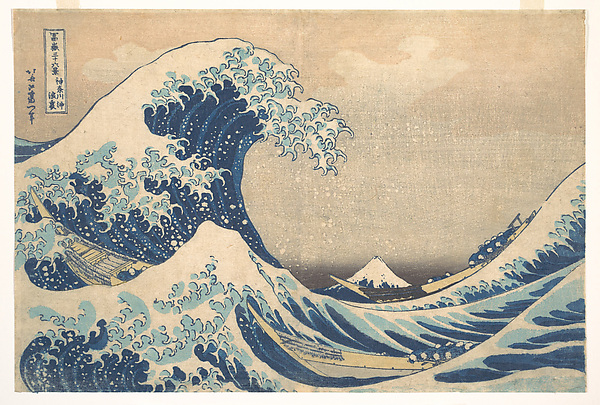
Before · original image
Original source for The Great Wave — moving ink and foam
After · AI-generated interpretation

The wave and foam move while the woodblock palette remains recognizable. Motion is much larger than requested, and the wave contours reshape; this is a stylized animation rather than a faithful reconstruction of the print.

View the exact motion prompt
The illustrated wave gently rolls forward and small foam droplets fall back toward the sea. The boats rock slightly. Preserve the original Japanese woodblock print, flat indigo palette and crisp ink outlines. Mount Fuji stays fixed. Locked camera, no scene change.
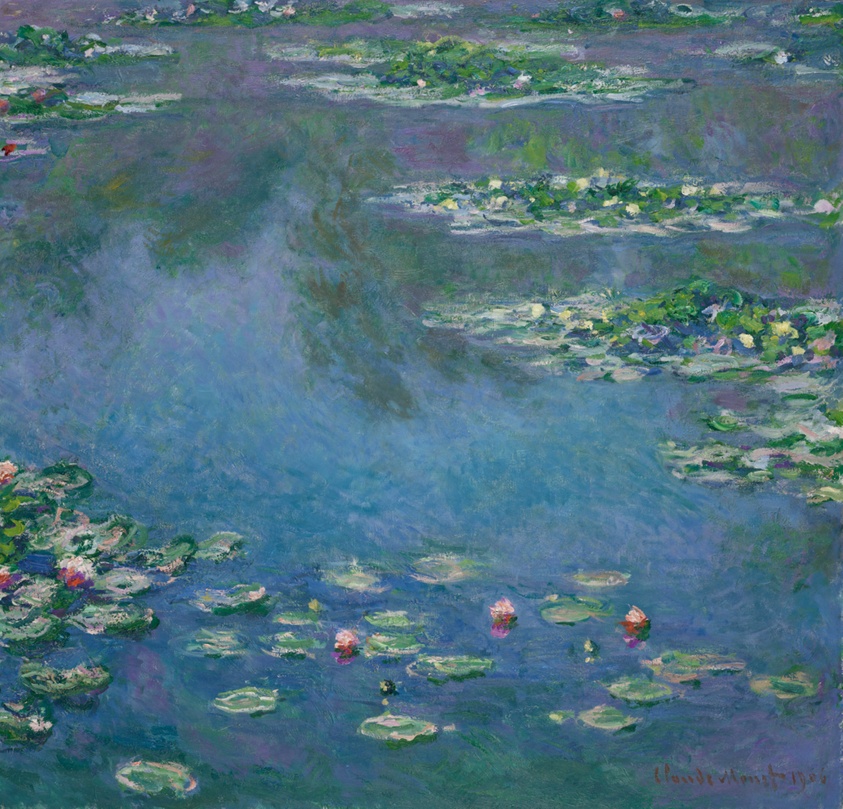
02Water Lilies — ripples in painted water

Runway via KIE · 5s · 720p
Before · original image
Original source for Water Lilies — ripples in painted water
After · AI-generated interpretation

The pond surface ripples subtly while the palette and lily-pad layout remain recognizable. Small painted details soften and shift; the clip adds motion rather than restoring the painting.

View the exact motion prompt
Tiny gentle ripples move through the painted water around the lily pads. The flowers drift almost imperceptibly. Preserve Monet’s soft brushwork, colors, reflections and composition. Static camera, subtle movement only, no new objects.

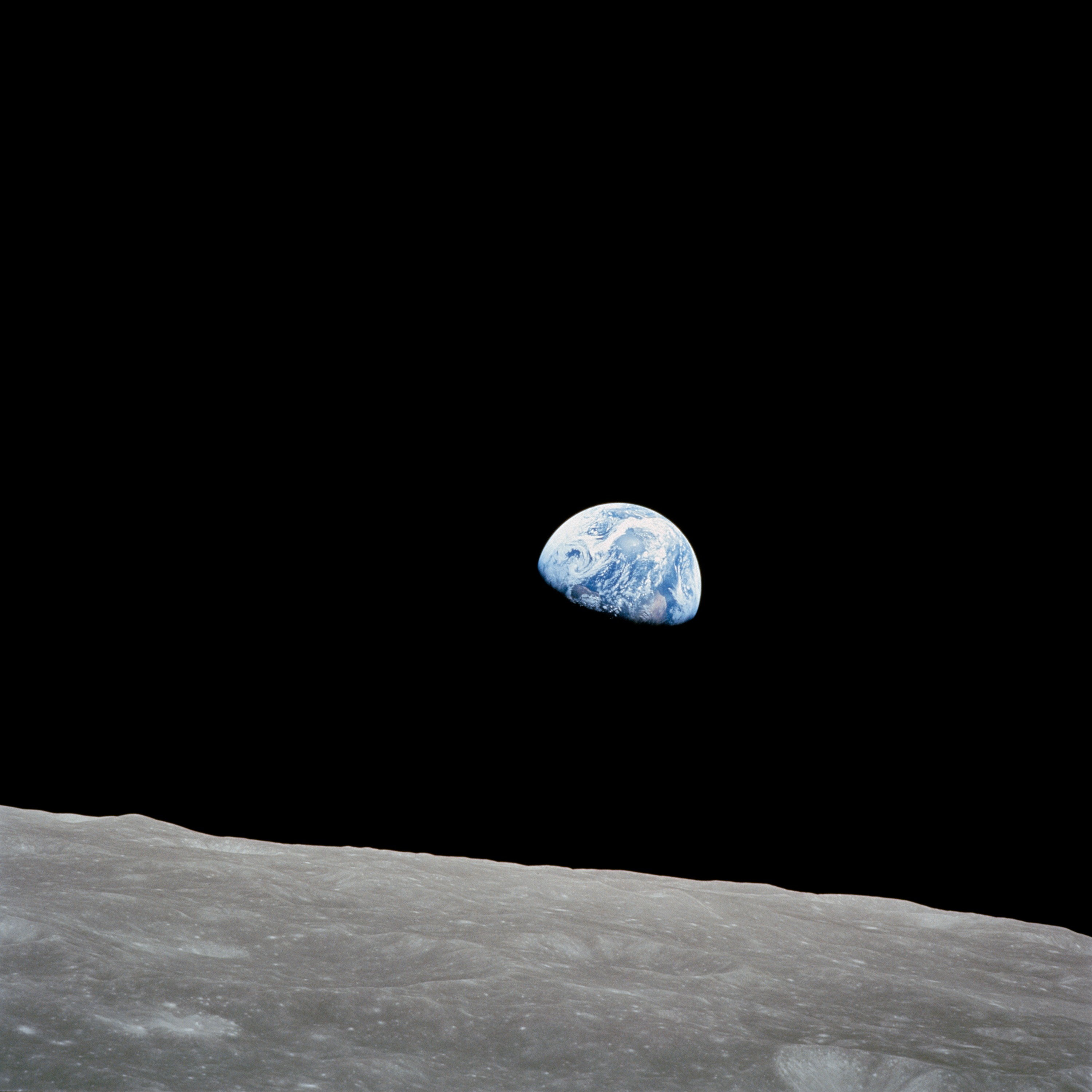
03Earthrise — a restrained camera drift

Runway via KIE · 5s · 720p
Before · NASA image
Original source for Earthrise — a restrained camera drift
After · AI-generated interpretation

The lunar foreground drifts and rises through the frame while Earth remains visible. The framing changes more than the prompt requested. This is invented camera motion, not footage from the Apollo mission.

View the exact motion prompt
A very slow camera drift to the right over the lunar foreground, while Earth remains a stable distant sphere. Preserve the original Earthrise photograph, lunar texture and black sky. Subtle parallax only. No new stars or spacecraft.

From still to story

How it works

No timeline, keyframes, or complicated video software. Just one photo and an idea.

01

Upload a photo

Choose a clear JPG, PNG, or WebP image up to 10 MB.

02

Describe the motion

Tell the AI how the subject, camera, and background should move.

03

Generate & download

Wait a few minutes, preview the result, and download your video.

Built for everyday creativity

Give every image a next scene.

Use image-to-video AI to create attention-grabbing loops, product motion, cinematic memories, concept shots, and social posts from images you already have.

Animate an image

Animate portraits

Add natural expression, eye movement, and subtle camera motion.

Move product shots

Create polished reveals and smooth showcase clips for campaigns.

Revive old photos

Turn a meaningful still memory into a gentle moving moment.

Stop the scroll

Make short motion assets for posts, ads, and landing pages.

Good to know

Questions, answered.

Still wondering about something? Write to hello@image-to-video.dev.

How does the image to video AI work?+

Upload a still image and describe the movement you want. The model uses the image as the opening visual, then predicts coherent motion, camera movement, and changing light across a short video.

Can I make an image to video without signing up?+

Yes. The current generator does not require an account or login. Upload an image, add a motion prompt, and start your generation directly.

Which images work best?+

Clear, well-lit JPG, PNG, and WebP images work best. Give the main subject some visual space, and avoid tiny faces or heavily compressed screenshots.

How should I write the motion prompt?+

Describe movement, camera direction, and atmosphere. For example: ‘The camera slowly pushes in while leaves move in a gentle breeze, warm afternoon light.’

How long does generation take?+

Most videos take a few minutes. Complex scenes and busy periods can take longer, so keep the page open while the generation is processing.

Can I use the generated video commercially?+

Your rights can depend on the source image, prompt, and model provider’s terms. Only upload material you are allowed to use and review the terms before commercial publication.

Ready to see your image move?

Upload a photo, give it direction, and create your first AI video.

Create a video now